A preset is just an option—it can’t express your personality. The same goes for your online gaming identity, especially when everyone else is rocking insanely cool custom avatars—anime warriors, cyberpunk hackers, fantasy mages—while you’re stuck with the default, looking like someone who just signed up five minutes ago!
Whether you’re after a standout avatar or a realistic digital twin with an artistic twist, the journey starts with an AI gaming avatar maker. This tool can create a professional avatar tailored entirely to your needs—no artistic skill or editing experience required. Curious to see how it works? Let’s explore the 5 best AI game avatar generators available, so you can craft a digital identity that’s truly your own.
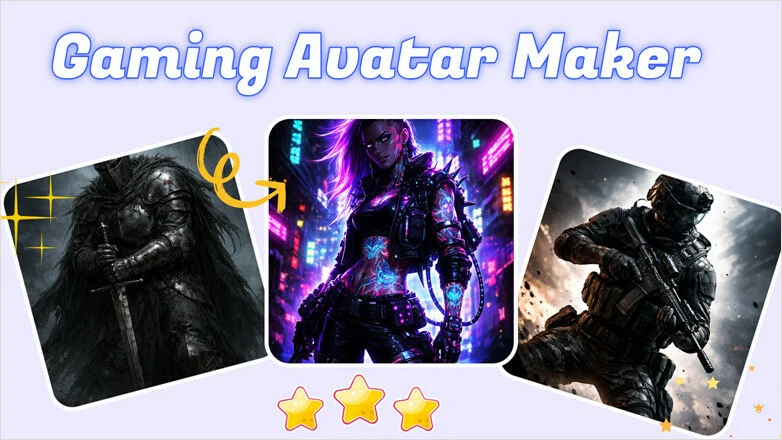
Stylish Gaming Avatar Examples Generated by FlexClip
Pro Bonus: Customizable and Stylish Templates to Showcase the Highlights of Your Gameplay


Directly Create a Unique Gaming Avatar Online>>
Also Interested in: How To Make Gaming YouTube Videos Like a Pro>>
What Is AI Gaming Avatar Maker?
An AI game avatar maker is a tool that uses artificial intelligence to create unique avatars tailored to your style and preferences.
Whether you want an anime-inspired character with vibrant neon accents, a hyper-realistic warrior version of yourself, or an iconic Studio Ghibli-style persona, these AI-powered generators can turn your ideas into stunning gaming avatars in minutes—no artistic talent or design experience required.
In general, an AI game avatar generator creates a unique gaming avatar tailored to your needs in two main ways:
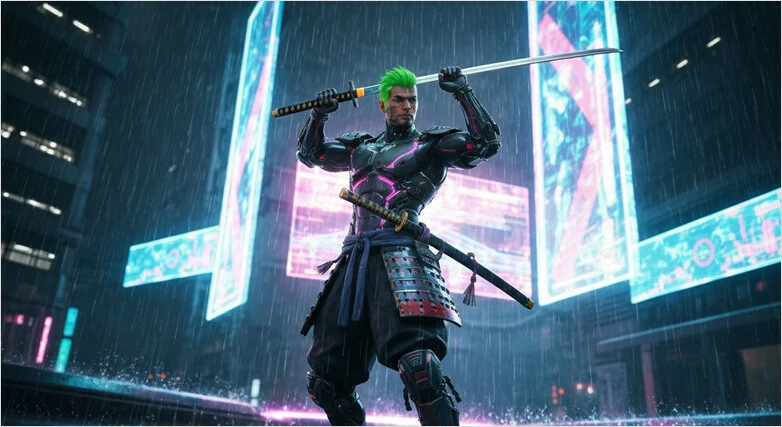
Generate a Gaming Avatar from Textual Prompt
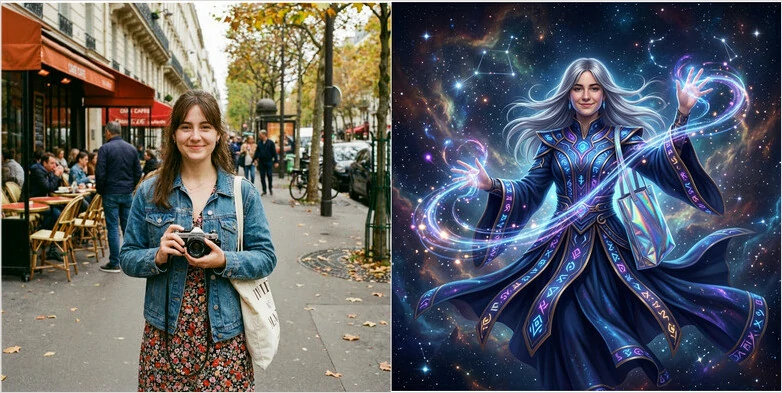
Generate a Gaming Avatar from Image
After having a general understanding of what is an AI gaming avatar and how it works, let's explore the list of 5 best options we included below.
5 Best AI Gaming Avatar Generators for You
Creating a distinctive avatar is key to building a unique digital identity, and the process is easier than ever with the right tool. In this section, we'll explore five excellent AI gaming avatar makers that can help bring your virtual character to life.
#1 FlexClip - Versatile and Easy AI Gaming Avatar Maker
FlexClip is a web-based AI game avatar generator designed to create gaming avatar effortlessly even for beginners. With FlexClip, you can easily create a fantasy hero, an anime character, or the subject of a classical painting from text or transform a portrait into fantasy art, anime, cyberpunk, and even pixel art. The best part? It comes with hundreds of pre-trained presets for one-click avatar creation and supports a variety of leading AI image models, including Google Nano Banana, GPT Image, Seedream, Flux, and more. You can either generate avatars instantly with ready-made presets or fine-tune the model and settings for complete creative control.
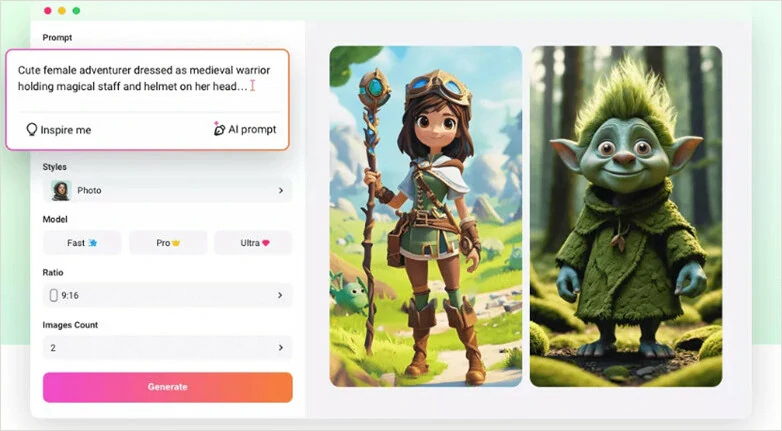
FlexClip - Versatile and Easy AI Gaming Avatar Maker
The fun doesn’t stop with a static avatar. With FlexClip, you can can transform your static AI gaming avatar into a dynamic video in just a few clicks. Bring your avatar to life in immersive gameplay scenes, turn it into a talking character with realistic lip-sync animation, or create an inspiring story-driven video featuring your digital persona. Whether you're producing gaming highlights, stream intros, social media content, or character showcases, FlexClip makes the process fast and effortless. No software downloads, technical skills, or steep learning curve required. Simply describe your vision, and FlexClip’s AI Gaming Avatar Maker will turn it into reality.
Example of Still Image to Animated Video


Key Features:
#2 LightX - AI-powered Game Avatar Generator
LightX is a powerful AI gaming avatar generator that creates realistic gaming characters from a single photo using pre-made styles and text-prompt image generation. From adjusting facial features and hairstyles to adding accessories and special effects, LightX offers endless possibilities for crafting a truly unique avatar. With its robust privacy and security policies, you can confidently establish a recognizable presence in front of your audience while keeping your personal data safe.
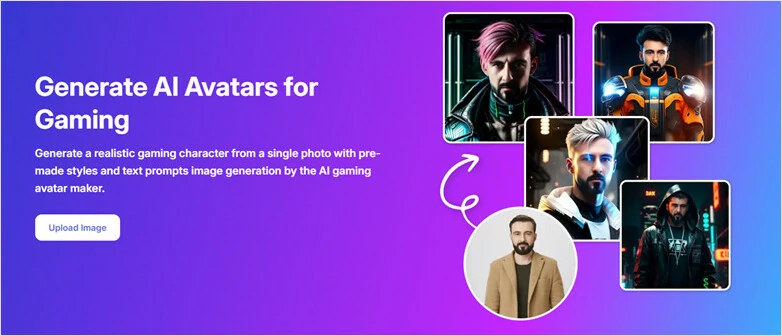
LightX - AI-powered Game Avatar Generator
Key Features:
#3 Arui.AI - Photo to Gaming Avatar Maker
Arui.AI is an AI gaming avatar maker that turns a single photo into a stylized profile picture designed for gaming platforms. Simply upload a selfie and generate avatars in cartoon, anime, pixel art, sketch, and 3D render styles that fits your gaming persona without manual adjustments. Whether you're creating a gaming avatar for Discord, Twitch, Steam, Xbox, or PlayStation, Arui.AI gets you covered.
What makes Arui.AI stand out is its lightning-fast generation—avatars ready in as little as ten seconds—and 4K output with sharp edges and crisp details. Whether you want to showcase your hero on a mobile screen or a 4K monitor in a streaming overlay, this gaming avatar generator will deliver high-quality avatars as you needed.
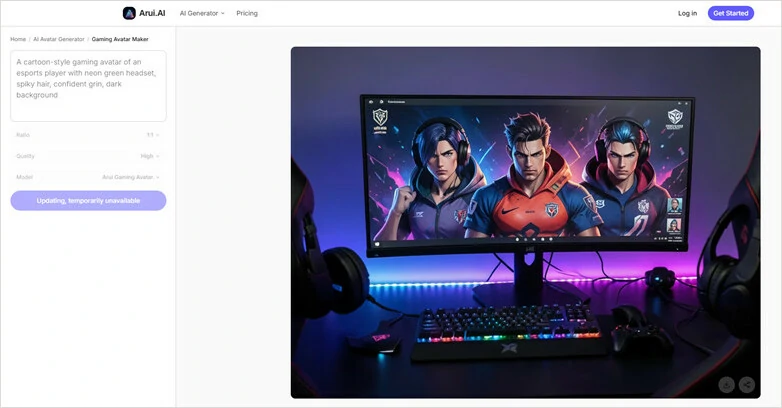
Arui.AI - Photo to Gaming Avatar Maker
Key Features
#4 Pixelcut - Flexible AI Gaming Avatar Generator
Pixelcut is an AI gaming avatar maker that creates custom profile pictures (PFPs) or character images from text descriptions. You can specify details such as clothing, style, background, and character traits, and the AI will handle the entire process to generate a unique avatar for you. If you want more control over the result, you can also upload a reference image of a character or style you like, then use a text prompt to guide the AI in creating a new avatar inspired by your input.
With Pixelcut, you can create gaming avatars across any genre—fantasy heroes, sci-fi soldiers, anime characters, cartoon animals, and more. Simply type your ideas into the prompt box, and this AI avatar generator will bring them to life.
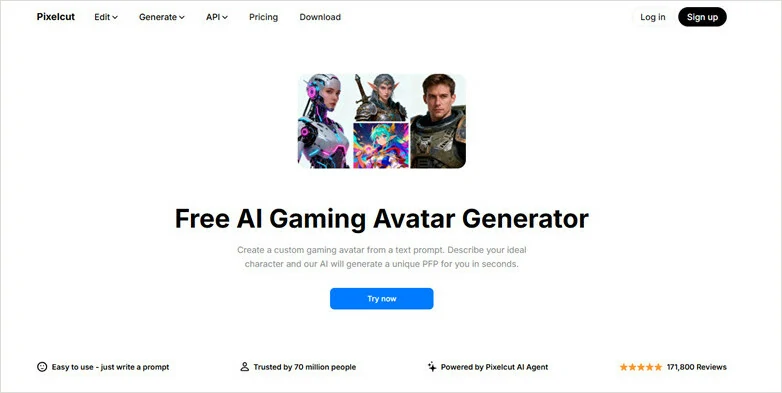
Pixelcut - Flexible AI Gaming Avatar Generator
Key Features:
#5 PFP Maker - Professional Gaming Avatar Maker
PFP Maker makes generating gaming avatars as fun as a photobooth! Simply upload a few of your photos, and this AI-powered avatar maker can create over 100 stunning avatars in countless styles and scenes with its AI Photoshoot feature. How do the results look? The avatars closely resemble you, as the AI trains on your uploads to recreate a perfect digital likeness.
However, access to these advanced features requires a paid plan and about an hour for model training. The free version is limited to creating basic avatars, offering a simpler, more streamlined experience.
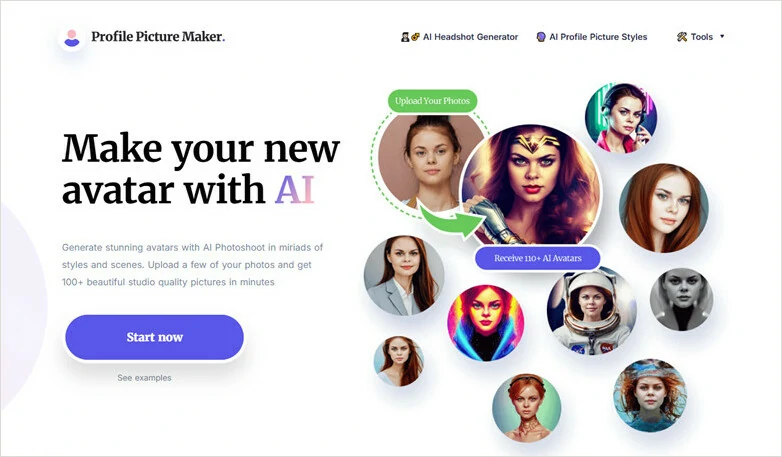
PFP Maker - Professional Gaming Avatar Maker
Key Features
How to Make a Stylized Gaming Avatar with AI?
Can't wait to create your own personalized gaming avatar? Here we'll guide you step-by-step on how to make a stylized gaming avatar with FlexClip's AI gaming avatar generator. Let's dive in!
Method 1: Create Gaming Character Using Text Prompts
Have a concept of the warrior, anime character or realistic gaming character in mind? Click on Create Gaming Avatar from Text button below, enter your description and let AI bring it into reality.
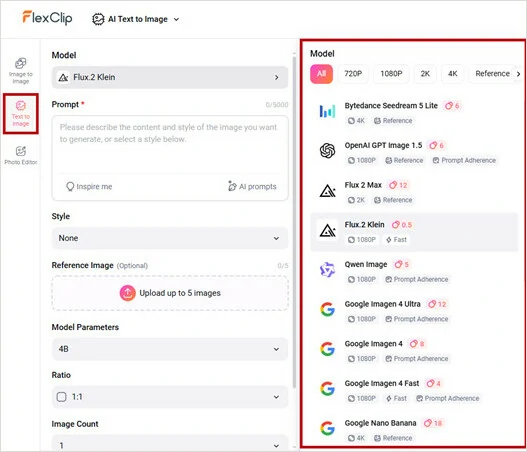
Access Text-to-image Page and Select Generation Model
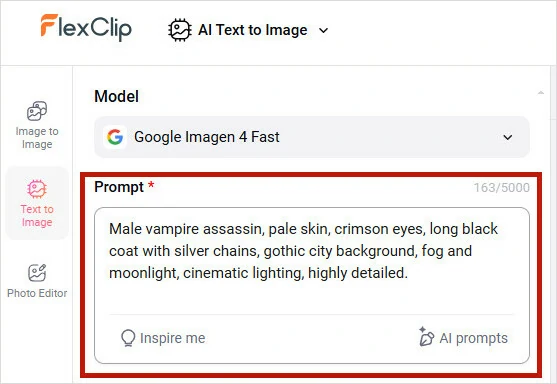
Enter Your Generation Prompt
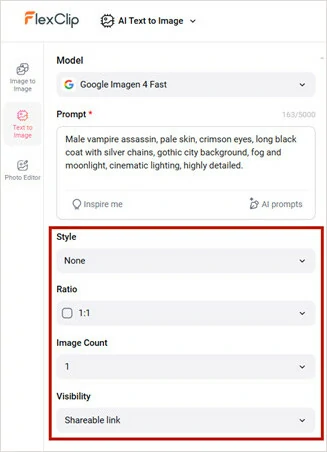
Make Basic Setup and Launch Gaming Avatar Generation
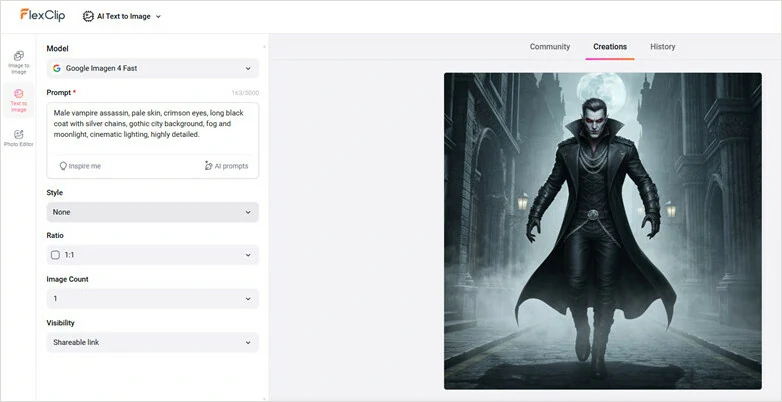
Preview and Download Your Generated Gaming Avatar
Method 2: Turn Selfie into Appealing Avatar with Existing Styles
Want to transform your selfie into a striking, artful avatar? Explore the preset filter styles in FlexClip’s Image-to-Image tool and turn your photo into a professional character design with just one click. Simply tap the Turn Selfie into Avatar button below and follow the guide to get started.
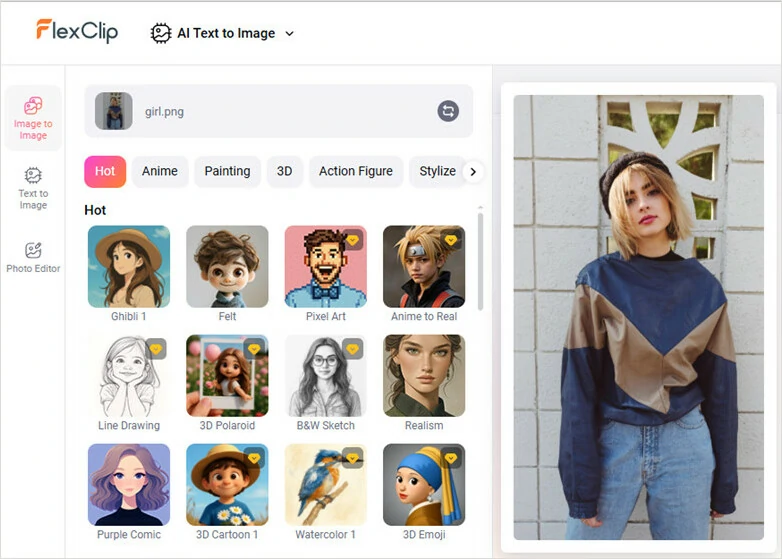
Open FlexClip's Image-to-image Tool and Import Your Selfie
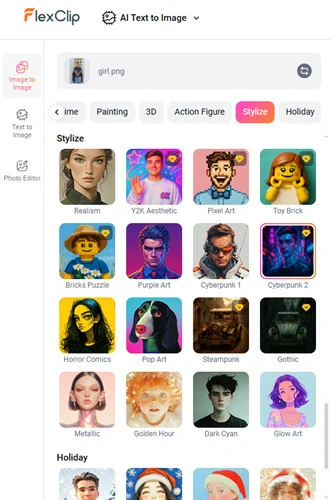
Select the Preset Style to Transform Your Selfie Image
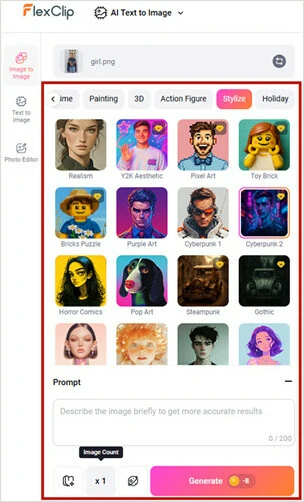
Set Image Number and Add a Brief Description
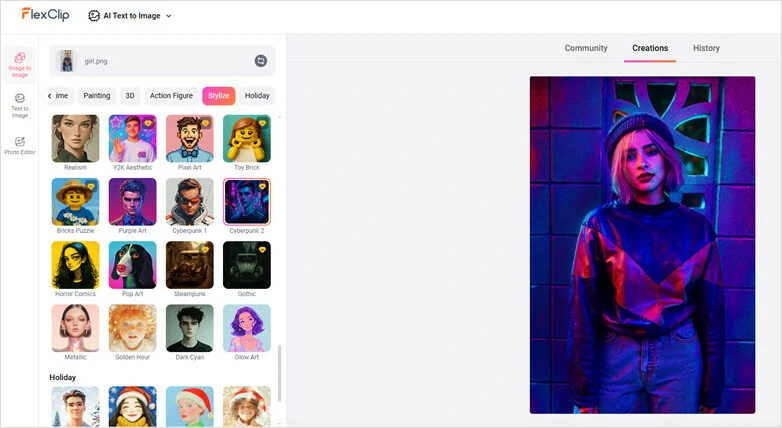
Download the Satisfying Avatar Image and Share
Method 3: Convert Photo into Gaming Avatar with AI Photo Editor(Full Control)
Want full control over turning your photo into a gaming avatar? FlexClip’s AI Photo Editor preserves your original photo’s essence while keeping characters and design elements consistent. With advanced AI models like Google Nano Banana and OpenAI GPT-Image-1, you can experiment freely. Click Turn Photo into Avatar to start creating.
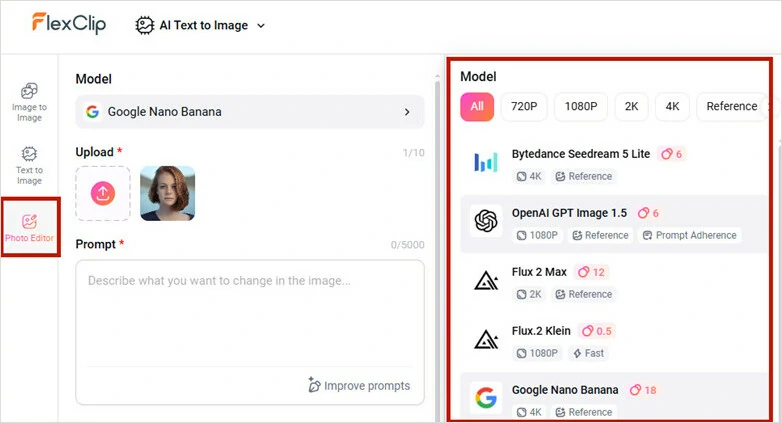
Upload Your Photo to FlexClip's AI Photo Editor
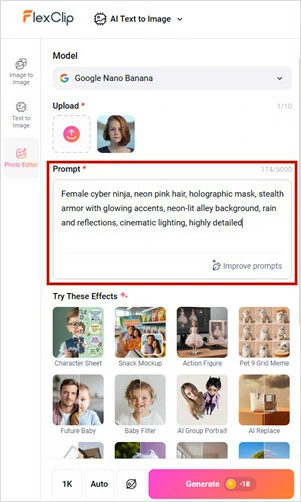
Enter Prompt and Let FlexClip Edit for You
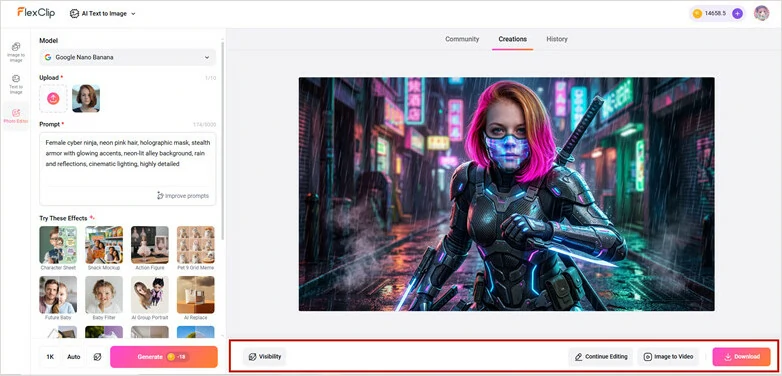
Download or Continue Editing Your Gaming Avatar
Bonus Tips: Make Your Gaming Avatar Speak and Move with FlexClip's AI
A static gaming avatar shows personality, but animated avatar clips open up a world of fun and possibilities! Want to compare your real-life self with a digital avatar? FlexClip’s AI Image-to-Video generator makes it easy. Looking to make your character speak with lip-synced movements? FlexClip has you covered. The best part? No editing experience is needed—just tell the AI what you want and watch it bring your avatar to life.
Make Your Gaming Avatar Speak and Move with FlexClip's AI
The Bottom Line
That's all for the 5 best gaming avatar makers for creating eye-catching gaming personas. Whether you want to generate an avatar from a text prompt or transform your selfie into a hyper-realistic game character, there's a tool to match your needs. Compare the options, choose the one that fits your creative goals, and start building your unique gaming identity today.




FlexClip AI Video Maker
Reach professional-quality videos faster with easy editing tools, templates, and smart AI.
Start Now for Free
Hot & Trending
-

Best Ways to Find Music in YouTube Videos
-

Instagram Story Video Quality Bad After Upload? Fix It!
-

How to Repost Video on TikTok & How to Remove TikTok Repost
-

Improve Video Quality Online: 3 AI Video Quality Enhancers You Can't Miss
-

4K Convert to HD 1080p without Watermark: Best 4k Video Converters
-

Best 8 Free Video Editors - No Download Required
-

Top 13 Birthday Video Makers with Music and Effects Free
-

How to Search Filters on TikTok & Use a Filter You See - TikTok Filter Guide